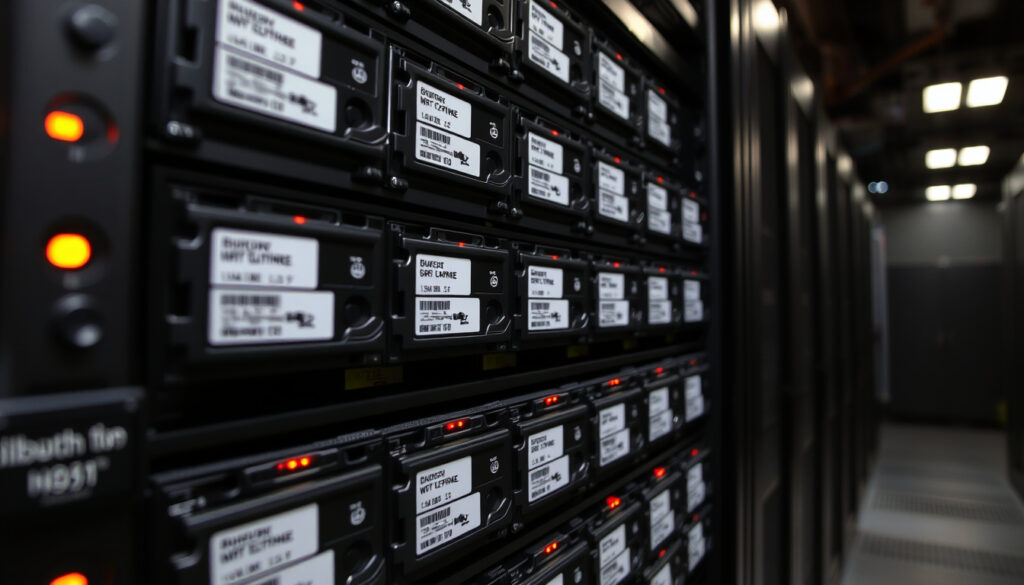
What Is a RAID Array? Levels, Setup, and Modern Use
If you’ve ever wondered how a handful of hard drives can work together to keep your data safe or speed up your computer, you’re not alone. RAID arrays are the foundation of most servers, NAS devices, and even some high-end desktops.
RAID levels defined: 0, 1, 5, 6, 10 · Year introduced: 1988 · Minimum drives for RAID 0: 2 · Typical use: Data redundancy or performance improvement
Quick snapshot
- RAID 0 provides no redundancy (Dell Support (hardware manufacturer guidance))
- RAID 1 mirrors data exactly (NI (engineering instrumentation authority))
- RAID 5 uses distributed parity (NI (engineering instrumentation authority))
- RAID 10 combines mirroring and striping (Oracle (enterprise storage documentation))
- Whether RAID will remain relevant as SSDs and cloud storage become cheaper
- Optimal RAID configuration for mixed HDD/SSD environments
- 1988 – RAID concept introduced by Patterson, Gibson, and Katz at UC Berkeley
- 2025 – RAID still widely used in enterprise storage, NAS, and video editing workflows
- Software RAID and NVMe-oF may reduce the need for hardware RAID controllers
- Hybrid RAID+SSD caching remains a cost-effective performance bridge
Five key facts about RAID, drawn from official storage documentation and industry standards:
| Attribute | Value |
|---|---|
| RAID stands for | Redundant Array of Independent Disks |
| Year introduced | 1988 |
| Inventor | David Patterson, Garth Gibson, and Randy Katz (UC Berkeley) |
| Common levels | 0, 1, 5, 6, 10 |
| Minimum drives for RAID 1 | 2 |
What is RAID and why is it used?
What is a RAID array?
- RAID (Redundant Array of Independent Disks) is a method of combining multiple physical drives into a single logical unit for redundancy, performance, or both (Oracle (enterprise storage documentation)).
- It was introduced in 1988 by researchers Patterson, Gibson, and Katz at UC Berkeley as a way to use inexpensive disks to achieve reliability and performance comparable to expensive mainframe storage.
- RAID levels are distinguished by their balance of reliability, availability, performance, and capacity (Dell Support (hardware manufacturer guidance)).
RAID never delivers a free lunch. Every level forces you to trade capacity, performance, or fault tolerance. The skill is choosing which two matter most for your workload.
What is RAID for dummies?
- Think of RAID as a way to turn several small storage boxes into one big, smart box. Some configurations make the box faster (striping), some make it safer (mirroring), and some do both.
- RAID is not a backup — it protects against a drive failure, not against accidental deletion or corruption.
The implication: RAID is a trade-off — you can optimize for speed, redundancy, or capacity, but rarely all three simultaneously.
What are the 4 types of RAID?
RAID 0 – striping
- Data is striped across two or more disks, improving read/write speed because multiple drives work in parallel (NI (engineering instrumentation authority)).
- No redundancy: if any drive fails, the entire array is lost (NI (engineering instrumentation authority)).
- Minimum drives: 2 (Dell Support (hardware manufacturer guidance)).
RAID 1 – mirroring
- Data is written identically to two or more disks, creating an exact mirror (NI (engineering instrumentation authority)).
- Fault tolerance: the array continues to operate as long as one drive remains functional (NI (engineering instrumentation authority)).
- Minimum drives: 2 (typically even number) (NI (engineering instrumentation authority)).
RAID 5 – striping with parity
- Stripes data and distributes parity information across all drives, allowing recovery from a single drive failure (NI (engineering instrumentation authority)).
- Requires at least 3 drives (NI (engineering instrumentation authority)).
- Offers a good balance of performance and capacity efficiency, making it a common choice for file servers and archives (Cherry Servers (hosting and server provider)).
RAID 10 – mirroring + striping
- Combines mirroring (RAID 1) and striping (RAID 0), also written as RAID 1+0 (Oracle (enterprise storage documentation)).
- Requires at least 4 drives (Dell Support (hardware manufacturer guidance)).
- Delivers high performance and fault tolerance, but at 50% capacity cost.
What is the most common RAID array?
- RAID 5 is often cited as the most common in enterprise file and web servers due to its balance of storage efficiency and redundancy (Cherry Servers (hosting and server provider)).
- RAID 10 is popular for databases and virtual machine storage where performance and reliability are both critical.
A direct comparison of the four most common RAID levels across key attributes:
| RAID Level | Redundancy | Min Drives | Capacity | Read Performance | Write Performance |
|---|---|---|---|---|---|
| RAID 0 | None | 2 | 100% | High (parallel) | High (parallel) |
| RAID 1 | 1 drive failure | 2 | 50% | High (duplicate reads) | Moderate (mirror overhead) |
| RAID 5 | 1 drive failure | 3 | (N-1)/N | High | Moderate (parity calc) |
| RAID 10 | Up to half drives | 4 | 50% | Very high | Moderate (mirror+strip) |
Detailed specifications for each RAID level, pulled from industry standards and manufacturer documentation:
| Specification | RAID 0 | RAID 1 | RAID 5 | RAID 10 |
|---|---|---|---|---|
| Fault tolerance | 0 drives | 1 drive | 1 drive | 1–2 drives (per mirror) |
| Read performance | N× single drive | N× (if mirrored drives) | N× (striped) | N× (striped + mirrored) |
| Write performance | N× | 1× (mirror overhead) | ~N-1× (parity write penalty) | ~N/2× (mirror overhead) |
| Capacity utilization | 100% | 50% | N-1/N (e.g., 67% for 3 drives) | 50% |
| Typical use case | Scratch storage, video cache | OS drives, critical data | File servers, archival | Databases, VMs |
| Rebuild impact | N/A (no rebuild) | Minimal | High (parity recompute) | Moderate |
For a home server or NAS buyer, the RAID level you pick directly determines how much usable space you get and how much risk you carry. A 4-drive RAID 5 gives you 75% usable capacity; RAID 10 gives you 50% — but with double the fault tolerance and faster rebuilds.
How do you set up a RAID array?
Hardware RAID vs software RAID
- Hardware RAID uses a dedicated controller card that handles all RAID calculations independently of the OS. This offloads processing and often provides battery-backed cache for safe writes.
- Software RAID relies on the operating system to manage the array. Examples include Windows Storage Spaces, Linux mdadm, and macOS Disk Utility. It is cheaper but consumes CPU cycles (Red Hat Documentation (enterprise Linux storage guide)).
Step-by-step setup for a basic RAID 1 array
- Install two identical hard drives in your system.
- Boot into the BIOS/UEFI and enable RAID mode (if using hardware RAID) or boot into the OS for software RAID.
- For hardware RAID: enter the RAID configuration utility (usually Ctrl+R or Ctrl+I during POST), select the two drives, choose RAID 1, and create the array.
- For software RAID in Linux: use
mdadm --create /dev/md0 --level=1 --raid-devices=2 /dev/sda /dev/sdb(Red Hat Documentation (enterprise Linux storage guide)). - Initialize the array with a filesystem (e.g., ext4, NTFS) and mount it.
- Verify the array status:
cat /proc/mdstator in Windows use Disk Management.
Software RAID is fine for most home users, but if you’re running a production database, the CPU overhead of parity calculations (RAID 5/6) can hurt performance. Hardware RAID offloads that work.
Is a RAID array necessary?
When is RAID recommended?
- RAID is recommended for servers, NAS devices, and any system where uptime matters — even a single drive failure should not take the system offline.
- For critical data, RAID provides automatic redundancy that a simple backup schedule cannot.
Can I run a NAS without a RAID?
- Yes. JBOD (Just a Bunch Of Disks) mode presents each drive individually. But if one drive fails, data on that drive is lost — no automatic protection.
- Without RAID, you rely entirely on backups, which may have gaps (hours or days old).
Pros and cons of using RAID
Upsides
- Automatic data redundancy in case of drive failure
- Improved read/write performance (depending on level)
- Can combine multiple drives into a single volume
- Widely supported by OS and hardware
Downsides
- Not a backup — does not protect against corruption, delete, or ransomware
- Reduces effective capacity (50% for RAID 1/10, 20-33% for RAID 5/6)
- Rebuild can stress remaining drives, especially with large HDDs
- Hardware RAID controllers add cost and complexity
Are RAID arrays still used?
Does anyone use RAID anymore?
- Yes. RAID remains a standard feature in enterprise storage arrays, NAS devices from Synology, QNAP, and TrueNAS, and in video production environments where sustained throughput is critical.
- SSDs and cloud storage have not rendered RAID obsolete — they complement it. In fact, many cloud storage providers use RAID internally for their own infrastructure.
Modern use cases: enterprise, home servers, video editing
- Enterprise: RAID 5/6 for large disk arrays, RAID 10 for databases and virtual machines.
- Home servers: RAID 1 for simplicity, RAID 5 for capacity efficiency.
- Video editing: RAID 0 for speed (with external backups), RAID 10 for speed + safety.
- For a detailed comparison of storage hardware, see our Color Laser Printer Scanner Buying Guide.
If you’re building a home server in 2025, consider software RAID (mdadm or ZFS) over a cheap hardware RAID controller. The software approach gives you more flexibility, easier migration, and no hidden battery failure risks.
Clarity check
Confirmed facts
- RAID 0 provides no redundancy (NI (engineering instrumentation authority))
- RAID 1 mirrors data exactly (NI (engineering instrumentation authority))
- RAID 5 uses distributed parity (NI (engineering instrumentation authority))
- RAID 10 combines mirroring and striping (Oracle (enterprise storage documentation))
What’s unclear
- Whether RAID will remain relevant as SSDs and cloud storage become cheaper
- Optimal RAID configuration for mixed HDD/SSD environments
Quotes from storage experts
RAID is a way of combining multiple disks into one logical storage system using striping, mirroring, parity, or a mix of these methods.
— Oracle (enterprise storage documentation)
RAID levels are distinguished by their balance of reliability, availability, performance, and capacity.
— Dell Support (hardware manufacturer guidance)
Related reading: Color Laser Printer Scanner Buying Guide · How to Choose a Microphone
geeksforgeeks.org, booleanworld.com, ionos.com, en.wikipedia.org, techtarget.com, backblaze.com
Frequently asked questions
What is the difference between RAID 0 and RAID 1?
RAID 0 uses striping for speed but offers no redundancy. RAID 1 uses mirroring for fault tolerance but halves capacity. Choose RAID 0 for performance, RAID 1 for safety.
Can I mix different drive sizes in a RAID array?
Yes, but the array will be limited to the size of the smallest drive (or, in some RAID levels, to the smallest drive’s size per stripe). For best results, use identical drives.
What is RAID 6 and how does it differ from RAID 5?
RAID 6 uses double distributed parity, allowing it to survive two simultaneous drive failures. It requires at least 4 drives. RAID 5 only survives one failure (NI (engineering instrumentation authority)).
Does RAID protect against data corruption or accidental deletion?
No. RAID only protects against a physical drive failure. Data corruption, accidental deletion, and ransomware require a separate backup strategy.
How many drives do I need for RAID 5?
At least 3 drives. RAID 5 stripes data and distributes parity across all drives, so you lose capacity equivalent to one drive.
Is RAID still used in enterprise environments?
Yes. Most enterprise storage arrays still use RAID 5, 6, or 10 for redundancy and performance. Cloud providers also use RAID internally.
What is a RAID controller and do I need one?
A RAID controller is a dedicated hardware card that manages the array. It is recommended for high-performance or critical systems, but software RAID is sufficient for most home users.
Can I convert a RAID array from one level to another without losing data?
Some RAID controllers support online migration, but it’s risky. Always back up before attempting a migration. For most users, it’s safer to create a new array and copy data.
More related posts
 Red Bull Ford 2026 F1 – Powertrains Partnership Explained
 Questions to Ask Your Boyfriend: 250 Fun, Flirty & Deep Ideas
 The Great Barrier Reef – Location, Size and Threats Explained
 Noel Leeming Trade In – Complete Step-by-Step Guide
 Buy Me a Coffee vs Patreon: Fees and How It Works
 Best Broadband Provider NZ 2025: Compare Top Internet Services
 Best Pizza Porteña Near Me – Top Buenos Aires Pizzerias
 NZ News Latest Today: Top Stories, Protests & Life in NZ