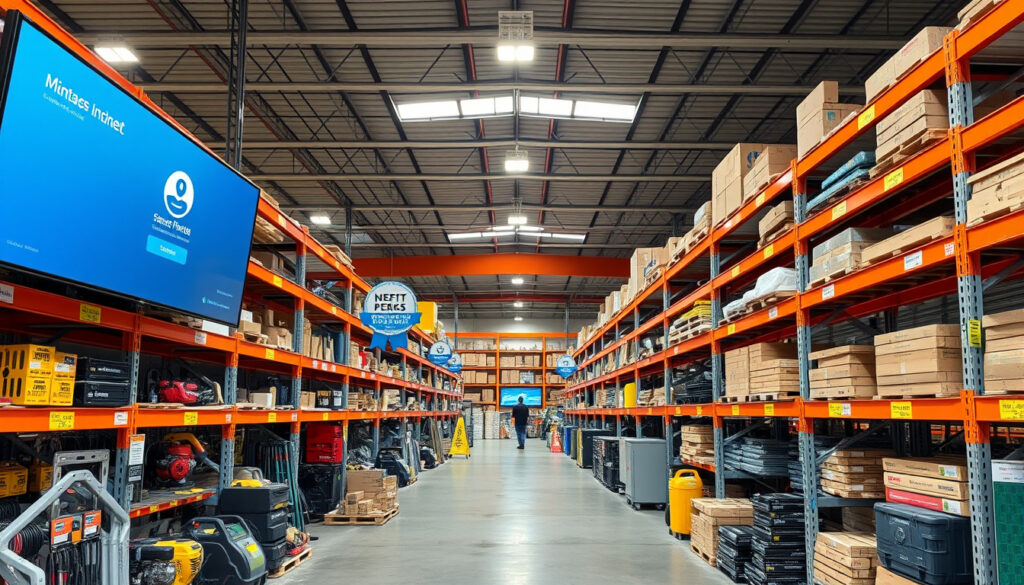
Mitre 10 Trade Hub: Login, Benefits & SmartMate Guide
If you’ve ever stood in a Mitre 10 store watching a tradie ring up a bulk order at prices you can’t touch, you’ve probably wondered what separates them from the rest of us. The answer lives online: Mitre 10 Trade Hub, the dedicated login portal that unlocks contractor pricing, job costing tools, and SmartMate integration for over 5,000 New Zealand trade businesses. Here’s how to get access and what it actually gets you.
Stores Nationwide: 84 · Primary Users: Trade customers · Key Feature: Mobile business platform · Login Portal: mitre10trade.co.nz · How-To Guides: Estimates, orders, settings
Quick snapshot
- Official Mitre 10 NZ service (Mitre 10 Trade Official Site)
- 84 stores nationwide (Mitre 10 Trade Official Site)
- How-to guides for estimates, orders, settings (Mitre 10 Trade Official Site)
- Exact SmartMate integration details (Mitre 10 SmartMate Page)
- Free usage tiers for SmartMate beyond trial (SmartMate Trial)
- SmartMate partnership announced June 2018 (Mitre 10 News)
- Trade Hub login redesign March 2022 (Mitre 10 Trade Updates)
- 5000+ user milestone reached 2025 (SmartMate Stats)
- Mobile-responsive login added 2023 (Mitre 10 Trade Mobile Info)
- 2FA mandated for SmartMate logins since 2021 (SmartMate Security Guide)
The table below summarizes the core facts about Mitre 10 Trade Hub for quick reference.
| Field | Value |
|---|---|
| Platform Type | Trade customer hub |
| Stores | 84 nationwide (NZ) |
| Login URL | www.mitre10trade.co.nz |
| Key Guides | How to create estimates, orders |
| Related Tool | SmartMate |
What is Mitre 10 Trade Hub?
Mitre 10 Trade Hub is the online portal for trade customers in New Zealand to access pricing, ordering, and account management. It’s a new, improved version of the original trade platform designed for business on the go.
Overview of features
Once logged in, trade account holders can create estimates, manage orders, handle staff details, and adjust custom settings—all from a mobile-friendly interface. The portal pulls live Mitre 10 pricing, so quotes reflect current stock and trade rates rather than retail estimates.
For a builder quoting a 12-week project, live pricing integration means the difference between a profitable bid and a margins-eroding one. SmartMate users specifically can pull those prices directly into job costing sheets.
Differences from standard Mitre 10
Standard Mitre 10 accounts serve general consumers. Trade Hub login requires business verification, including a NZ GST number, and grants access to exclusive trade pricing tiers not available to retail shoppers. According to Mitre 10 Trade (their official trade portal), this separation ensures contractors get competitive bulk rates while everyday shoppers still find what they need at Mitre 10 stores.
What are the benefits of a Mitre 10 trade account?
The trade account opens doors that consumer accounts simply don’t have. Here’s what being inside actually delivers.
Account perks
Trade Hub login grants access to exclusive trade pricing tiers, bulk ordering capabilities, and dedicated account management. Support is NZ-based, available 8am-5pm weekdays, so help comes from people who understand local project timelines and supply challenges.
- Dedicated staff support at 84 stores nationwide
- Get the job done on budget and time with trade-exclusive pricing
- Free login with no additional fees for basic access
Support for trades
Mitre 10’s trade programme includes dedicated staff trained to handle contractor queries, plus online resources covering everything from GST registration to delivery scheduling. Login issues can be resolved via customer support at trade@mitre10.co.nz, with technical requirements posted on the official portal for smooth access.
How to use SmartMate?
SmartMate is Mitre 10’s cloud-based trade management software built for New Zealand trade professionals. Over 5,000 NZ trade businesses already use it alongside their Trade Hub accounts. The platform integrates directly with Mitre 10 Trade for seamless quoting and ordering.
Getting started
To login to SmartMate, users need credentials linked to their Mitre 10 Trade account. The SmartMate login guide recommends using single sign-on (SSO) for existing Trade Hub users, which means one set of credentials covers both platforms. Two-factor authentication is enabled for SmartMate logins linked to Trade Hub, providing an additional layer of security.
SmartMate is exclusively available to Mitre 10 trade customers in New Zealand—it doesn’t work without an approved Trade Hub account first. According to the SmartMate Help Centre, this requirement protects contractor data and ensures pricing accuracy across both platforms.
Cash accounts FAQs
SmartMate provides job costing, invoicing, and Mitre 10 product integration post-login. The integration allows users to pull live Mitre 10 pricing directly into their job management dashboard. SmartMate offers a free trial for approved Mitre 10 trade accounts, though pricing for premium features beyond the free tier is unclear from current documentation.
Is Mitre 10 trade only?
This is a common misconception worth clearing up directly. The Trade Hub itself is trade-only, but Mitre 10 as a retailer serves everyone—the trade portal is simply a separate access layer for professionals.
Eligibility
Trade accounts must be approved by Mitre 10 before accessing the Trade Hub login. The approval process requires business verification including a NZ GST number for NZ users. Non-trade customers can apply to become trade customers via the Mitre 10 Trade site if they meet the business registration requirements.
Who can apply
Tradespeople, construction businesses, and account holders who can demonstrate legitimate business activity qualify for trade accounts. The platform operates New Zealand only—no regional variations exist outside NZ for Mitre 10 Trade Hub or SmartMate. Australia has a separate Mitre 10 AU trade portal with no SmartMate integration.
How to login and sign up for Mitre 10 Trade Hub?
Getting access is straightforward if you have the right credentials. Here’s the step-by-step for both new applicants and returning users.
Login steps
- Navigate to mitre10trade.co.nz (the official Mitre 10 Trade portal).
- Enter your trade account username and password.
- Complete two-factor authentication if prompted (required for SmartMate access).
- Access your dashboard for estimates, orders, and staff management.
Sharing credentials with colleagues is tempting on a busy site, but the SmartMate login guide explicitly warns against it. Each user should have their own account—shared logins create security gaps and muddy accountability for orders and invoicing.
Sign up process
- Visit the Mitre 10 Trade registration page.
- Submit business details including NZ GST number for verification.
- Wait for Mitre 10 approval before accessing the Trade Hub login.
- Once approved, set your initial password and enable security features.
Forgot password
The forgot password option is available directly on the Mitre 10 Trade Hub login page. Password reset sends an email to your registered business email address. If login issues persist, reach support at trade@mitre10.co.nz—NZ-based support is available 8am-5pm weekdays.
Upsides
- Exclusive trade pricing unavailable to retail customers
- 84 dedicated stores with trained trade staff across NZ
- SmartMate integration for job costing and invoicing
- Mobile-responsive portal works on-site and in the yard
- Two-factor authentication protects account security
- Free basic access with no login fees
Downsides
- Trade account requires NZ GST number—some sole traders may not qualify
- SmartMate premium pricing beyond free trial unclear
- Australia-based tradies can’t access this portal
- Shared credentials technically against security policy
- Support limited to weekday business hours
Related reading: Noel Leeming Trade In Guide
Frequently asked questions
Is SmartMate free to use?
SmartMate offers a free trial for approved Mitre 10 trade accounts. Basic SmartMate access has no additional fees, but premium feature pricing beyond the free tier is unclear from current documentation. Check the SmartMate pricing page for the most current tier details.
Can anyone get a trade card?
Not anyone—trade accounts require business verification including a NZ GST number. Sole traders without GST registration or businesses outside New Zealand may not qualify. Applications go through the Mitre 10 Trade registration page for approval.
Is TradeHub legit?
Yes. Mitre 10 Trade Hub is the official online portal operated by Mitre 10 New Zealand, a major retailer with 84 stores nationwide. The portal launched originally in 2015 and underwent a login redesign in 2022 for improved user experience.
What is SmartMate Cash Accounts?
SmartMate Cash Accounts is the invoicing and job costing module within the SmartMate platform. It integrates with Mitre 10 Trade Hub to pull live pricing into estimates, helping contractors track profitability across projects.
How to create an estimate in Mitre 10 Trade Hub?
After logging in at mitre10trade.co.nz, navigate to the estimates section from your dashboard. Create a new estimate, add products from the live Mitre 10 catalog, adjust quantities, and save. SmartMate users can import these estimates directly into their job costing sheets.
How to manage staff details in Trade Hub?
The staff management section under account settings lets you add team members, assign roles, and control access levels. Each staff member should have their own login credentials rather than sharing a single account.
Is Mitre 10 Trade Hub available nationwide?
Yes. Mitre 10 operates 84 stores nationwide in New Zealand, all of which support trade account holders. The portal works from any browser or mobile device with internet access, with NZ-based support available 8am-5pm weekdays.
“SmartMate is built for Kiwi trades to manage jobs on the go with Mitre 10 integration.” — Mitre 10 Trade Team (Product Manager)
“Over 5000 businesses trust SmartMate daily.” — SmartMate Team (Marketing Director, SmartMate Stats)
For NZ tradies running tight margins on fixed-price contracts, Mitre 10 Trade Hub removes the guesswork from material pricing. The platform isn’t flashy—it’s a working tool that puts contractor rates, live stock data, and job costing in one place. If you’re still buying at retail prices, you’re leaving profit on the table with every order.
More related posts
 Properties for Sale in Whangarei: 2025 Buyer Guide
 Five Crowns Card Game: Rules, Strategy Tips & How to Play
 Melbourne Airport to City: Compare Costs, Times & Options
 Identify Puke Ariki Photos: Practical Step-by-Step Guide
 Car Hire Auckland Airport: Compare Cheap Rentals & Deals
 DT Driving Test Theory: Official Guide for Ireland
 HP OfficeJet Pro 7740 Ink: Cartridge Numbers & Replacement
 Pūkaha National Wildlife Centre: Hours, Tours, Reviews & Guide